

Imagine a rainy Saturday afternoon, curled up on the sofa, remote in hand. You’re searching for something exciting to watch. You long for the thrill of live matches and the adrenaline of your favourite teams.
This is where Boss IPTV comes in, changing your viewing experience. It offers a world of possibilities. With over 33,000 live TV channels, you can watch sporting events from all over the globe.
Whether it’s football, basketball, or cricket, you’ll never miss a moment. Boss IPTV is for everyone. It’s easy to set up and activate, so you can dive into the excitement right away.
It also provides extensive coverage and high-definition streaming. Say goodbye to buffering and hello to seamless viewing. You can watch on all your devices, from Smart TVs to smartphones. By the end of this tutorial, you’ll be ready to enjoy premium content effortlessly.
Key Takeaways
- Access over 33,000 live TV channels with Boss IPTV.
- Enjoy seamless streaming with no buffering.
- Compatible with Smart TVs, Android, iOS, and more.
- Instant activation with no long-term contracts.
- High-definition and 4K quality viewing experience.
1. What Is Boss IPTV and Why Choose It for Sports on IPTV?
Boss IPTV is changing how we watch live sports streaming. It’s a top-notch Internet Protocol Television service for sports fans. It offers over 33,000 live channels, covering everything from the Premier League to niche sports.
What makes Boss IPTV stand out is its ultra-stable servers. These servers stop buffering during big game moments. You can enjoy your favourite sports without any breaks. Plus, it supports HD, Full HD, and 4K resolutions for a great viewing experience on many devices.
Here are some key reasons why Boss IPTV is great for sports streaming:
| Feature | Description | Benefit |
|---|---|---|
| Wide Channel Selection | 33,000+ live TV channels | Access to diverse sports events |
| High-Quality Streaming | Support for HD, Full HD, and 4K | Enhanced viewing experience |
| Instant Activation | No contracts required | Immediate access to content |
| Device Compatibility | Works on Smart TVs, Android, iOS, Firestick, MAG, and PC | Watch anywhere, anytime |
So, who should use Boss IPTV for sports? It’s great for:
- Cord-cutters looking for a cheaper option than traditional cable.
- Expatriates wanting to watch sports from their home countries.
- Families wanting a service that includes movies, series, and live sports.
In short, Boss IPTV is more than a streaming app. It’s a full entertainment centre. Its easy setup and instant start make it perfect for anyone serious about live sports streaming.
2. Understanding IPTV Technology for Live Sports Streaming
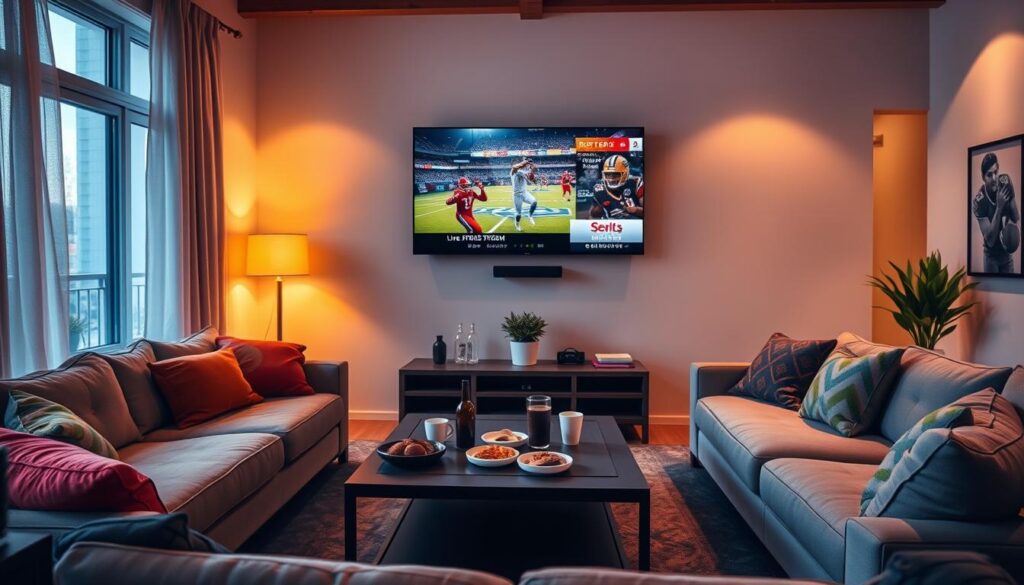
IPTV changes how we watch sports. It uses the internet to stream games live, not cable or satellite. You get to see a wide range of iptv sports channels in real-time.
IPTV works by sending data packets over the internet. When you pick a sports channel, your device asks for it online. Servers that are fast and reliable send it back, making sure you see every moment of the game.
For the best viewing, you need the right internet speed. For HD, 10 Mbps is the minimum. For 4K, you need at least 25 Mbps. This ensures your stream is smooth and uninterrupted.
It’s important to check your internet speed often. Using a wired Ethernet connection can also help keep your stream stable, especially when lots of people are watching.
Here’s a quick guide to internet speeds for different streaming qualities:
| Streaming Quality | Recommended Speed (Mbps) | Buffer-Free Experience |
|---|---|---|
| SD (Standard Definition) | 3-5 | Yes |
| HD (High Definition) | 10 | Yes |
| 4K (Ultra High Definition) | 25 | Yes |
Understanding IPTV makes your streaming service more reliable. Boss IPTV offers over 33,000 live TV channels in HD, Full HD, and 4K. This means you get a top-notch sports viewing experience.
For more details on using Boss IPTV, check out our terms and conditions page.

3. Compatible Devices for Watching Sports on IPTV
Knowing which devices work with IPTV makes watching sports easier and more fun. Boss IPTV offers many options to stream your favourite sports, whether at home or on the move. We’ll show you how to set up different devices, so you can start watching sports online easily.
Samsung and LG Smart TV Setup for Boss IPTV Sports
Setting up Boss IPTV on your Samsung or LG Smart TV is easy. First, go to your TV’s app store and search for Boss IPTV. Download and install the app. Then, open it and enter your subscription details to activate your account. This lets you watch live sports, movies, and series on your big screen anytime.
Mobile Devices: Android Smartphones and iOS iPhones
The Boss IPTV app is available for Android and iOS devices. Visit the Google Play Store or Apple App Store, search for Boss IPTV, and download it. Log in with your subscription after installation. This makes it easy to watch sports online wherever you are, perfect for those always on the move.
Streaming Devices: Amazon Fire TV Stick
The Amazon Fire TV Stick is a great choice for streaming Boss IPTV. You can download the app from the Amazon Appstore or sideload it if needed. Log in to your account after installation to access all your favourite sports channels. The Fire Stick’s portability and 4K capabilities improve your viewing experience.
MAG Boxes and Desktop PC Setup
MAG boxes are favourite among IPTV fans for their dedicated hardware. To set up, connect your MAG box to your TV and follow the on-screen instructions to install Boss IPTV. Desktop users can access Boss IPTV through a web player or emulator, offering a larger screen experience.
| Device Type | Setup Method | Key Features |
|---|---|---|
| Smart TVs | Download from app store | Large screen, easy navigation |
| Mobile Devices | Download from app store | Portable, watch on the go |
| Streaming Devices | Download or sideload | 4K streaming, compact |
| MAG Boxes | Connect and configure | Optimised for IPTV |
| Desktop PCs | Use web player/emulator | Flexible viewing options |
With Boss IPTV’s instant activation and support for many devices, you can start watching sports online in minutes. Whether you’re new to tech or a seasoned streamer, these setups are designed to make watching your favourite sports easy and enjoyable.

4. Step-by-Step Guide to Setting Up Boss IPTV
Setting up your Boss IPTV account is easy. This guide will help you get started quickly. You’ll learn how to set up your account and start watching live sports.
Creating Your Boss IPTV Account
First, go to the Boss IPTV website. Choose a plan that suits you. You can pick from single or multi-connection plans. Prices are clear, with no hidden costs or contracts.
For example, a 12-month single connection plan costs $54. This makes it easy to find the right option for you.
Installing the Boss IPTV Application
After creating your account, install the Boss IPTV app on your device. The steps vary by device but are generally straightforward. Just download the app and follow the instructions.
Make sure to check for any device-specific tips to avoid problems.
Connecting Your Subscription to the App
Once the app is installed, connect your subscription. Use your account details or M3U URL. After linking, you can start watching live sports right away.
In summary, setting up Boss IPTV takes less than ten minutes. If you need help, support is available. Get ready to enjoy premium sports entertainment!
| Plan Type | 3 Months | 6 Months | 12 Months | 24 Months |
|---|---|---|---|---|
| 1 Connection | $23 | $34 | $54 | $89 |
| 2 Connections | $28 | $49 | $79 | $129 |
| 3 Connections | $34 | $79 | $109 | $179 |
| 4 Connections | $49 | $89 | $129 | $224 |
“The entire process is designed to be user-friendly, ensuring that anyone can set up their Boss IPTV account without hassle.”
5. Navigating the Boss IPTV Interface for Sports Content
Setting up Boss IPTV is just the start. Learning how to use it for sports is key. The platform is easy to use, making it simple to find sports entertainment.
Finding Live Sports Channels
To find live sports, start by looking in the “Sports,” “UK Sports,” or “International Leagues” categories. This makes it easy to find your favourite sports. You can also search for specific events, like a Champions League match, so you never miss out.
Accessing On-Demand Sports Content
The on-demand library is a highlight of Boss IPTV. Here, you can watch replays, highlights, and exclusive behind-the-scenes footage. The sports on demand feature lets you watch matches whenever you want, without being tied to a schedule.
With over 33,000 live TV channels, 40,000 movies, and 140,000 TV series, finding what you want is easy. You can enjoy live sports, expert commentary, and more. Navigating the platform is straightforward, giving you easy access to live and recorded sports content.
6. How to Watch Live Sports Events on Boss IPTV
Watching live sports on Boss IPTV changes how you watch TV. You get a wide range of channels. This makes it easy to pick your favourite sports channel and watch every exciting moment of your favourite games.
Selecting Your Preferred Sports Channel
To find the best sports channels, use Boss IPTV’s easy-to-use interface. You can look through the many channels and favourite the ones you watch the most. This makes it quick to find your favourite channels, especially on game days when every second is important.
Adjusting Stream Quality for Optimal Viewing
Stream quality is key for a great viewing experience. You can change the stream quality to HD, Full HD, or 4K based on your internet speed. This lets you watch without interruptions, so you can enjoy every play without any breaks.
Using the Electronic Programme Guide (EPG)
The Electronic Programme Guide (EPG) is a great tool. It shows you what sports events are on now and what’s coming up. This makes it easy to plan when to watch your favourite sports. You can even set reminders for big games, so you never miss a key moment.
Boss IPTV’s iptv sports package gives you a special experience without the high costs. You get to watch high-quality live sports events with expert commentary. With reliable servers, you get a top-notch viewing experience. This means you’ll never miss a crucial play.
7. Exploring Sports Packages and Channel Add-Ons
Discover the wide range of sports packages and channel add-ons available. Boss IPTV provides a vast selection of premium sports channels. This ensures you get to watch the most thrilling sports events on IPTV. Whether you love football, rugby, or cricket, there’s something for you.
Premium Sports Channels Available
Enjoy top-tier sports channels with Boss IPTV:
- Sky Sports – Famous for its extensive football coverage and live events.
- BT Sport – Has exclusive rights to Champions League matches and more.
- ESPN – Covers a variety of sports, including basketball and American football.
- beIN Sports – Offers international sports events, including La Liga and Serie A.
These channels are part of different subscription tiers or can be added as extras. This lets you customize your viewing package to fit your tastes.
International Sports Coverage
Boss IPTV offers more than just local sports, with international coverage for a global audience. Channels from the US, Europe, Asia, and the Middle East are available. This ensures that expatriates and fans of niche sports can keep up with their favourite events.
Whether it’s a local derby or an international tournament, all sports events on IPTV are streamed in high quality. You get expert commentary too. This service is perfect for both UK and international viewers, with fast servers and smooth streaming.
Comparing traditional cable sports packages to Boss IPTV’s affordable plans shows clear value. You get a wide range of sports without spending a lot.
| Channel | Coverage | Subscription Tier |
|---|---|---|
| Sky Sports | Football, Cricket, Rugby | Premium |
| BT Sport | Football, Rugby | Standard |
| ESPN | Basketball, American Football | Standard |
| beIN Sports | International Football | Premium |
8. Boss IPTV Subscription Plans and Pricing
Understanding Boss IPTV’s pricing helps you pick the right plan for sports. They offer various plans to meet different needs. This way, you can enjoy your favourite sports without any trouble.
All plans have instant activation. You can start watching sports in minutes after paying. There are no hidden fees or long-term contracts. This gives you clear, flexible options.
Single Connection Plans
If you’re a solo sports fan, the single connection plan is perfect. Here’s a look at the prices:
| Duration | Price |
|---|---|
| 3 Months | $23 |
| 6 Months | $34 |
| 12 Months | $54 |
| 24 Months | $89 |
Dual Connection Plans
The dual connection plan is great for couples or two-device homes. It’s a good mix of value and convenience:
| Duration | Price |
|---|---|
| 3 Months | $28 |
| 6 Months | $49 |
| 12 Months | $79 |
| 24 Months | $129 |
Multi-Connection Plans for Families and Groups
For families or groups who stream together, multi-connection plans are perfect. Here’s how they compare:
| Connections | 3 Months | 6 Months | 12 Months | 24 Months |
|---|---|---|---|---|
| 3 Connections | $34 | $79 | $109 | $179 |
| 4 Connections | $49 | $89 | $129 | $224 |
All plans give you access to a wide range of sports channels for IPTV. You also get movies and series. This means you have a full entertainment package ready for you.

9. Optimising Your Sports Streaming Experience
To get the most out of sports on IPTV, you need to tweak your streaming. This means improving your network and adjusting your device settings. These small tweaks can make a big difference, giving you a smooth viewing experience.
Network Optimisation Techniques
Start with your network settings. Here are some tips:
- Prioritise IPTV Traffic: Use Quality of Service (QoS) settings on your router. This ensures IPTV gets the bandwidth it needs.
- Switch to a 5 GHz Wi-Fi Band: If your router allows it, switch to 5 GHz. It reduces interference from other devices, making your connection more stable.
- Use a Wired Ethernet Connection: For the best stream, connect your device directly to the router with an Ethernet cable. This avoids Wi-Fi problems and keeps your connection steady during live events.
Device Performance Settings
Now, focus on your device settings to boost performance:
- Clear Cache: Regularly clear the cache on your streaming app. It frees up resources and improves performance.
- Update Firmware: Make sure your Smart TVs and streaming devices, like Firesticks, have the latest firmware. Updates often bring performance boosts and bug fixes.
- Close Background Applications: On mobile devices, close apps you don’t need. This saves processing power for your streaming app.
With these tweaks and Boss IPTV’s stable servers, your sports viewing will be top-notch. Enjoy HD, Full HD, and 4K quality without buffering. By fine-tuning your setup, you won’t miss a second of the action.
10. Troubleshooting Common Sports Streaming Issues
Even with Boss IPTV’s reliability, streaming problems can happen. Knowing how to fix these issues can make your sports streaming better. Here are some common problems you might face.
Buffering and Playback Problems
Buffering can be annoying when you want to watch sports. Here are some fixes:
- Check your internet speed; a minimum of 10 Mbps is recommended for smooth streaming.
- Reduce the stream quality temporarily to lessen the load on your connection.
- Restart your router and device to refresh the connection.
Connection and Authentication Issues
For connection or authentication problems, try these steps:
- Verify your subscription status to ensure it is active.
- Re-enter your login credentials to eliminate any errors.
- Contact 24/7 support for a quick reset if problems persist.
Picture Quality and Audio Problems
For picture quality or audio issues, follow these tips:
- Check your HDMI cables for secure connections and any signs of damage.
- Adjust your audio output settings to ensure compatibility with your device.
- Make sure your device supports the resolution you are trying to stream.
Most problems can be fixed quickly, so you can get back to watching your match. Boss IPTV’s setup is designed to reduce downtime during live sports streaming. This means you get ultra-stable servers and no buffering.
| Issue | Common Causes | Solutions |
|---|---|---|
| Buffering | Slow internet speed | Check speed, reduce quality, restart devices |
| Connection Problems | Inactive subscription | Verify status, re-enter credentials, contact support |
| Picture Quality | Poor HDMI connection | Check cables, adjust settings, ensure device compatibility |
11. Tips for Getting the Most Out of Boss IPTV Sports
Get the most out of Boss IPTV sports with these tips. Use the features to make your viewing more personal and fun. Here are some ways to improve your sports streaming.
Creating Watchlists and Setting Reminders
Make sure you never miss a game by creating watchlists of your favourite iptv sports channels. This lets you quickly find the matches and leagues you love. Also, set reminders with the Electronic Programme Guide (EPG) or app notifications. This keeps you updated on upcoming events, so you’re always ready for the action.
Using Multi-Screen and Picture-in-Picture Features
Boss IPTV has cool features like multi-screen and picture-in-picture modes. These let you watch two matches at once on one screen or follow a live event while browsing. It’s great for busy sports weekends when lots of games are on. Whether on a Smart TV or mobile, these features ensure you don’t miss a moment of your favourite sports.
Mastering these tools turns your viewing into an interactive experience. You can fully use Boss IPTV for a custom sports experience. Enjoy top-notch streaming and content anytime on various devices.
For more details, see our in-depth review of Boss IPTV or learn about our services here.
12. Start Watching Sports on IPTV with Boss IPTV Today
Ready to take your sports watching to the next level? Boss IPTV makes it easy to watch sports online. You get instant access to live sports, expert commentary, and behind-the-scenes footage. Plus, there are no contracts and activation is quick.
Boss IPTV has over 33,000 channels, so you’ll never miss a game. Fans of football, basketball, or any sport will find something they love. Enjoy top-notch streaming quality, including 4K, for an immersive experience.
Watch your favourite sports on smart TVs, mobile phones, or streaming devices. Choose a plan that suits you and start watching live sports in minutes. The world of sports is now at your fingertips, ready to bring you thrilling moments.
Don’t wait any longer. Dive into the excitement of live sports with Boss IPTV and change how you watch sports online today!
FAQ
What is Boss IPTV?
Boss IPTV is a modern TV service that lets you watch over 33,000 live TV channels. You can enjoy sports, movies, and series in HD, Full HD, and 4K. It’s perfect for those who want to watch sports online without cable subscriptions.
How can I watch live sports on Boss IPTV?
To watch live sports on Boss IPTV, just subscribe and access their sports channels. You can use it on Smart TVs, Android, iOS, Firestick, MAG, and PCs. This way, you can stream sports anywhere, anytime.
What sports channels are included in the Boss IPTV sports package?
Boss IPTV’s sports package has Sky Sports, BT Sport, ESPN, and beIN Sports. It covers many sports, from football to rugby. It’s great for expats and fans of specific sports.
What are the internet speed requirements for watching sports on IPTV?
For the best sports viewing, you need at least 10 Mbps for HD and 25 Mbps for 4K. A stable connection prevents buffering and ensures a smooth watch.
Can I access on-demand sports content with Boss IPTV?
Yes, Boss IPTV has on-demand sports content. You can watch replays, highlights, and exclusive content anytime. It’s perfect for catching up on missed games.
How do I troubleshoot buffering issues while streaming sports?
If you see buffering, first check your internet speed. Try reducing the stream quality or restarting your router and device. If problems continue, contact Boss IPTV’s support.
Are there any contracts with Boss IPTV subscriptions?
No, Boss IPTV doesn’t have long-term contracts. You can pick from flexible plans that start immediately. This means you can watch your favourite sports right away.
How do I create a watchlist for my favourite sports channels?
To make a watchlist, go to the Boss IPTV interface and pick your favourite channels. Save them for easy access. This makes it simple to find and watch your favourite games and leagues.
What devices are compatible with Boss IPTV?
Boss IPTV works on many devices. You can use it on Samsung and LG Smart TVs, Android, iOS, Fire TV Stick, MAG boxes, and PCs. This means you can watch sports on your preferred device.
How can I optimise my sports streaming experience on Boss IPTV?
For the best streaming, use a wired Ethernet connection for stability. Adjust your router settings for Quality of Service (QoS). Clear the cache on your streaming app. These steps can greatly improve your viewing quality.





